


PCIe-2004 4-Channel CoaXPress Over Fiber Grabber
●QSFP+ 40G optical interface, supports CXP & GenICam. Low-cost fiber transmission with unlimited reach.
●Onboard Xilinx Kintex UltraScale+ FPGA + 8 GB DDR4 SDRAM
●Typical applications: semiconductor inspection, FPD testing, high-speed scientific imaging, intelligent transportation, medical imaging
PCIe-2004 4-Channel 10G Fiber CoaXPress
Frame Grabber
40Gbps High-Speed Fiber CoaXPress Camera Image Acquisition and Processing Card
Document Download
PCIe-2004 4-Channel 10G CoaXPress Over Fiber Grabber User Manual.pdf
Detailed Specifications

4 Core Advantages
Long-Distance Fiber Transmission
4-channel 10Gbps fiber interfaces with total bandwidth of 40Gbps, breaking the distance limitation of copper cables with strong anti-interference capability.
Powerful Hardware Performance
8GB DDR4 buffer + Xilinx XCKU5P FPGA, QSFP+ 40Gbps high-speed optical interface, supporting real-time image processing.
Full-Scenario IO Interfaces
Rich internal and external IO (RS-485, isolated IO, LVDS, TTL, 24 FPGA direct GPIO) for seamless integration with industrial equipment.
Flexible Development & Integration
Supports Aravis/GenTL dual SDK, ImaGrab zero-code visual debugging tool, and FPGA logic customization development.
Product Overview
- Based on CoaXPress 2.0 fiber standard, 4 channels × 10Gbps, total bandwidth 40Gbps, using QSFP+ optical module interface.
- Equipped with Xilinx Kintex UltraScale+ FPGA and 8GB DDR4 SDRAM, enabling high frame rate, jitter-free ultra-high-speed image transmission.
- Compatible with Aravis/GenTL dual SDK and ImaGrab visualization tool, widely used in semiconductor inspection, flat panel display inspection, high-speed scientific imaging and other fields.
- Standard 3U PCIe half-length card size, air-cooled heat dissipation design, easy to integrate into industrial computers.
Key Features
- Supports 4 independent 10G fiber receiving channels with QSFP+ 40Gbps high-speed optical interface
- Supports CoaXPress 1.1/2.0 protocol standards, FEC error correction and GenICam standard protocol
- Supports CoaXPress over Fiber Bridge Protocol Version 1.0 standard
- PCIe Gen3 x8 high-speed host interface, backward compatible with Gen2/Gen1
- 8GB DDR4 SDRAM for frame buffering and intermediate data processing
- Rich IO configuration: RS-485, optically isolated IO, LVDS, TTL, 24 FPGA direct GPIO (with ESD/overvoltage protection)
- 4 dual-color indicators, fully compliant with CoaXPress link status standards (connection/fault/error)
- Supports GenTL Producer and open-source Aravis SDK, compatible with Halcon, LabVIEW, OpenCV
Technical Specifications
| Item | Specifications |
|---|---|
| Interface Standard |
Supports CoaXPress 1.1/2.0 protocol standards (CXP-12X4 QSFP+) |
|
Supports CoaXPress over Fiber Bridge Protocol Version 1.0 standard |
|
| Host Interface | PCIe Gen3 x8, backward compatible with Gen2/Gen1 |
| Image Channels | 4 independent 10G fiber receiving channels (QSFP+ interface) |
| FPGA Platform | Xilinx XCKU5P-2FVB676, supports logic customization development |
| On-board Memory | 8GB DDR4 SDRAM |
| External IO | 26-pin D-SUB: 4×RS-485, 2 isolated inputs, 2 isolated outputs, LVDS, 2 TTL GPIO |
| Internal Expansion | 26-pin header: 24 FPGA direct GPIO (LVCMOS33, with ESD/overvoltage protection) |
| Status Indication | 4 dual-color indicators, compliant with CoaXPress link status standards |
| Software Support | GenTL Producer (.cti+.dll/.so), Aravis SDK, compatible with Halcon/LabVIEW/OpenCV |
| Mechanical Specifications | 3U PCIe half-length card, 168mm×111mm×23mm, air-cooled heat dissipation |
Product Interface Diagram
Product Dimension Diagram
Safety Warnings (MUST READ)
- Do NOT install or remove the frame grabber while the power is on, as this will directly damage the frame grabber, motherboard, or camera.
- Use anti-static protection measures and discharge static electricity from your body before touching the circuit board to prevent component damage.
- Do NOT store or use the product in environments with water splashes, direct sunlight, strong electromagnetic fields, or severe vibrations.
- Please use the included 40G optical fiber cable and external IO adapter cables. Non-original accessories may cause transmission failures.
- All Internal I/O signals are 3.3V TTL level. NEVER connect incompatible 5V/12V/24V signals.
Quick Start Guide
- Install Driver: Download the HelloFPGA_RunTime driver package from the official website and complete the installation on the host computer.
- Launch Software: Double-click
ImaGrab.exeto open the visual debugging software. - Connect Device: Click [Refresh Devices] to scan for the frame grabber and connected CoaXPress cameras, then double-click the target camera to complete the connection.
- Parameter Settings: Adjust ROI (width/height), exposure time, trigger mode, and external IO functions in the property tree panel.
- Start Acquisition: Click [Continuous Acquisition] to start the real-time image stream and check the frame rate and resolution in the preview window.
- Data Saving and Playback: Use [Save Image] (BMP/JPG/PNG) or [Record Video] (.bin) to capture data; load .bin files for frame-by-frame playback via [File] → [Create Playback System].
Typical Applications
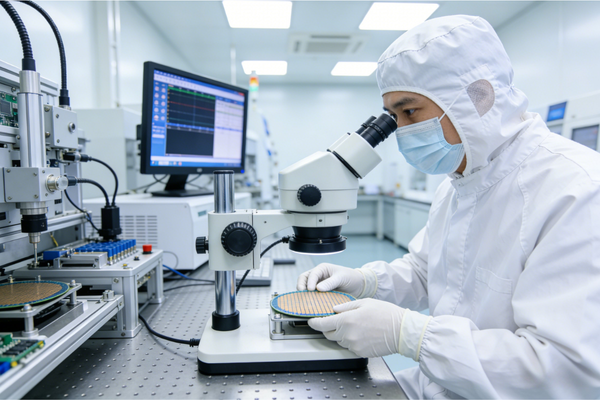
Semiconductor Inspection
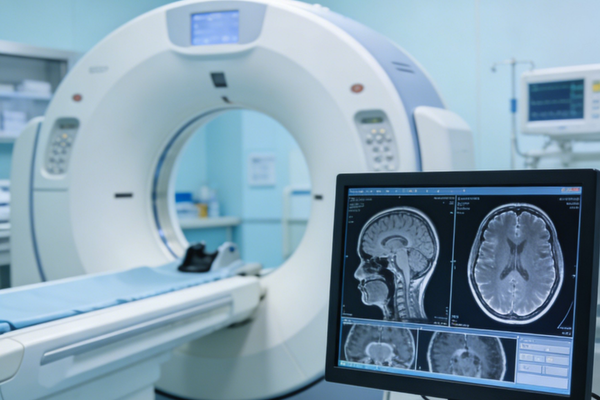
Medical Imaging

Aerospace

Industrial Automation
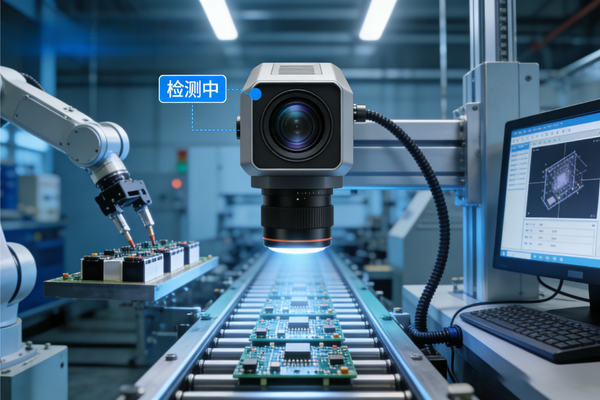
Machine Vision
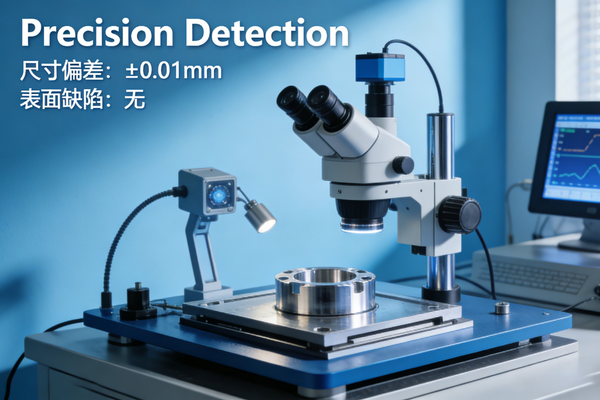
Precision Metrology

