

AMD ROSS Agentic AI Assistant — Making FPGA Development Simple Enough
AMD ROSS Agentic AI Assistant — Making FPGA Development Simple Enough
This National Day holiday, Xilinx released its agentic‑AI assistant for FPGA development. It supports one‑click deployment via VSIX extension for mainstream AI‑era programming tools such as Qoder and VS Code. FPGA development is fully embracing AI capabilities!
Official product page:https://www.amd.com/en/products/software/ross-agentic-ai.html
Download page (IDE installation is recommended):
https://www.amd.com/en/support/downloads/ross-agentic-ai.html
What is AMD ROSS Agentic AI Assistant
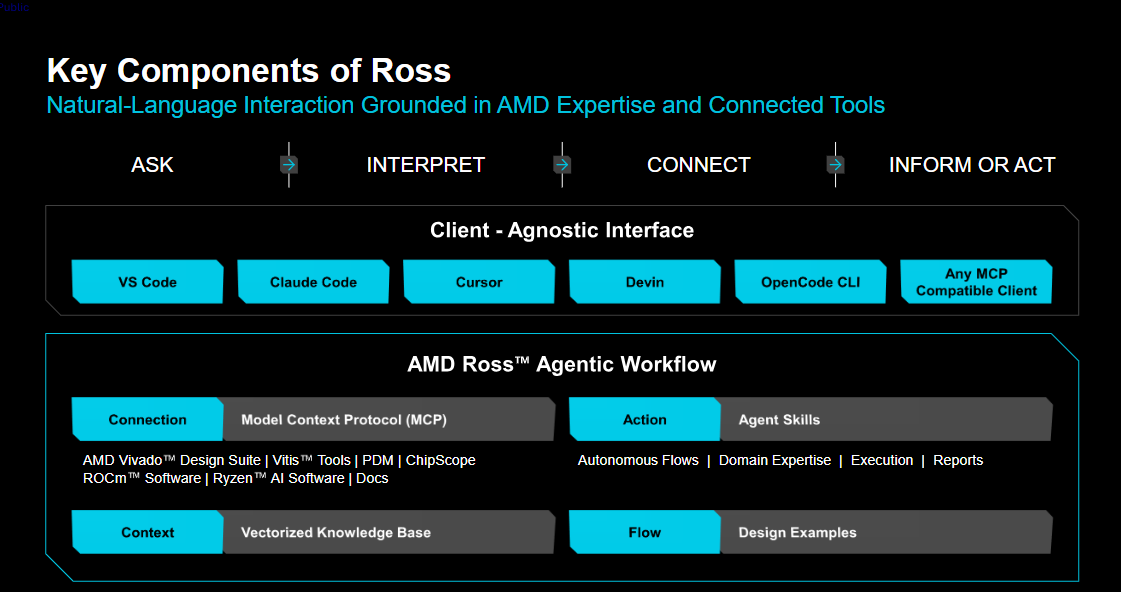
It is an agentic‑AI assistant for the full FPGA embedded‑development workflow, capable of directly invoking Vivado, Vitis and other tools — allowing you to focus on design objectives and innovation instead of low‑level tool‑usage details.
You may already be using general‑purpose AI agents together with Vivado. But there is a real‑world gap comparable to "intern vs senior expert". Generic AI agents only recite manual content; the official agent knows exactly which Tcl commands should be executed. Generic AI also consumes excessive tokens through repeated trial‑and‑error due to limited domain expertise.
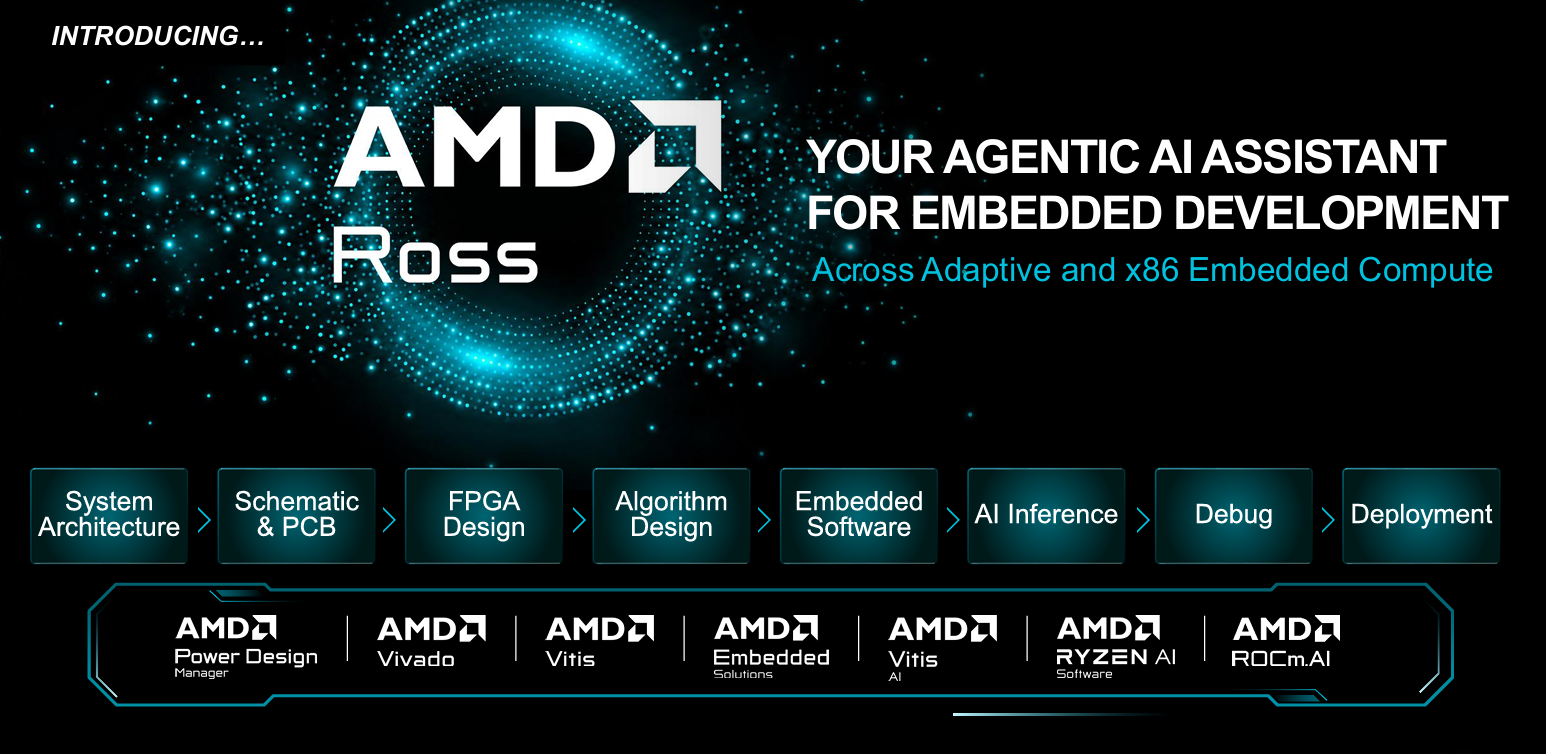
Its core value: it brings AMD‑validated best‑practice workflows directly to every engineer, effectively raising the baseline capability for all development team members.
Underlying Architecture
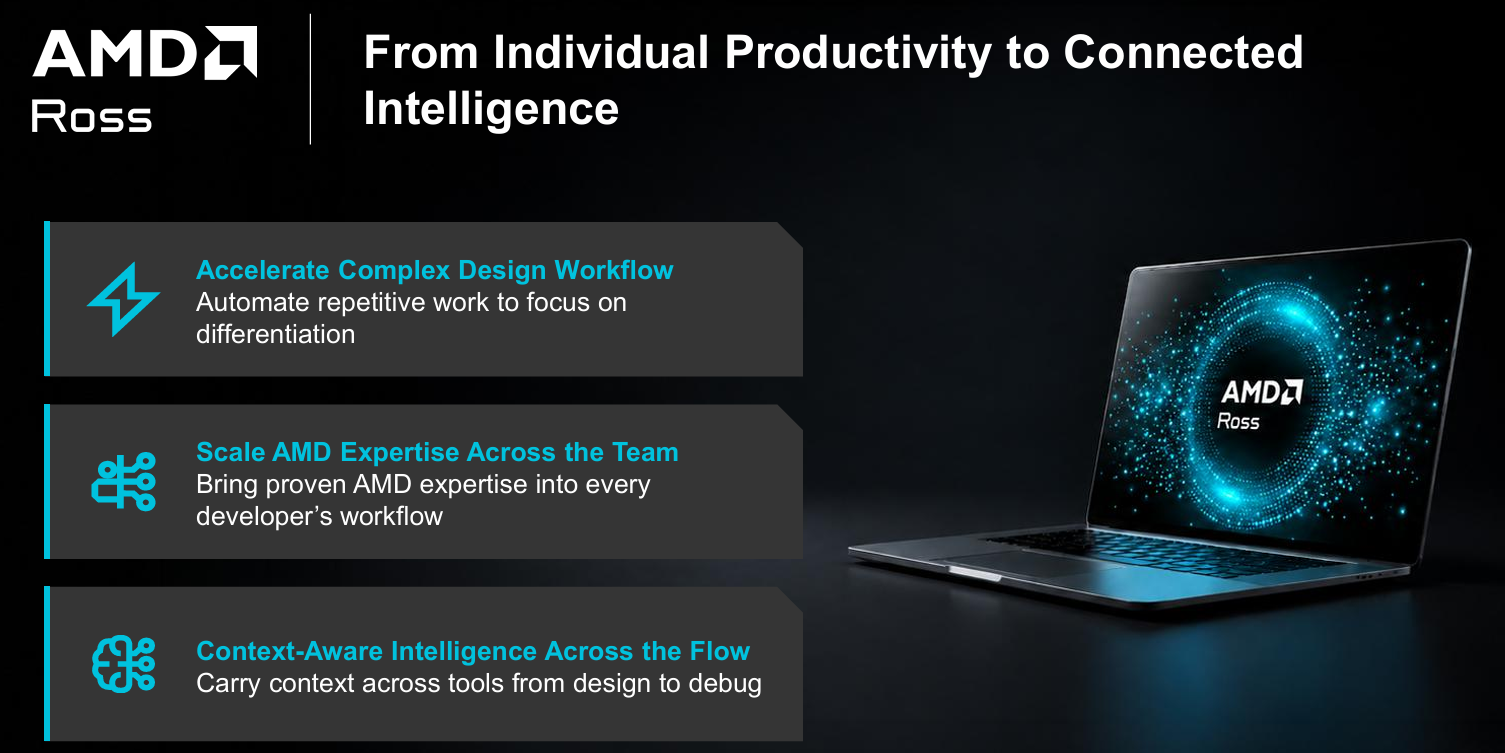
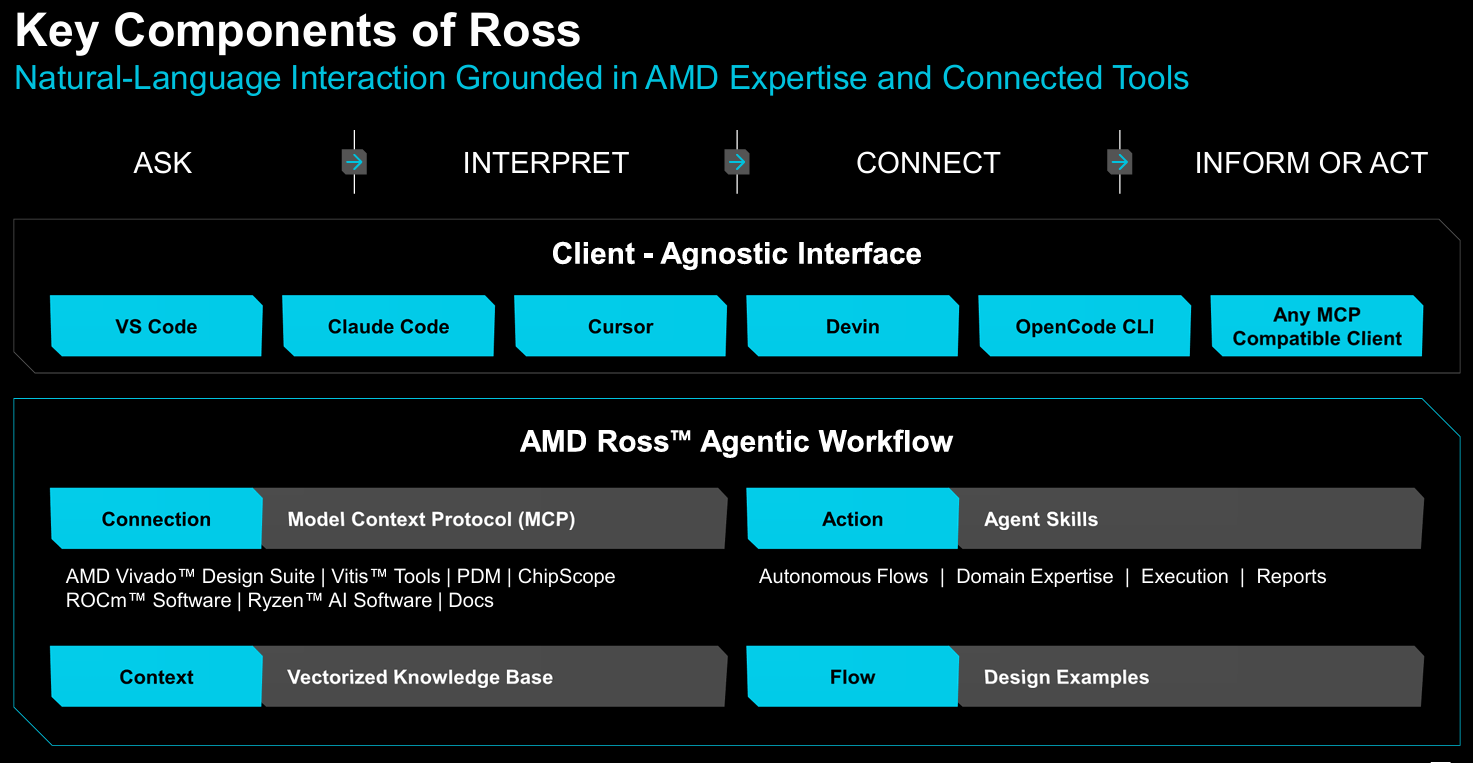
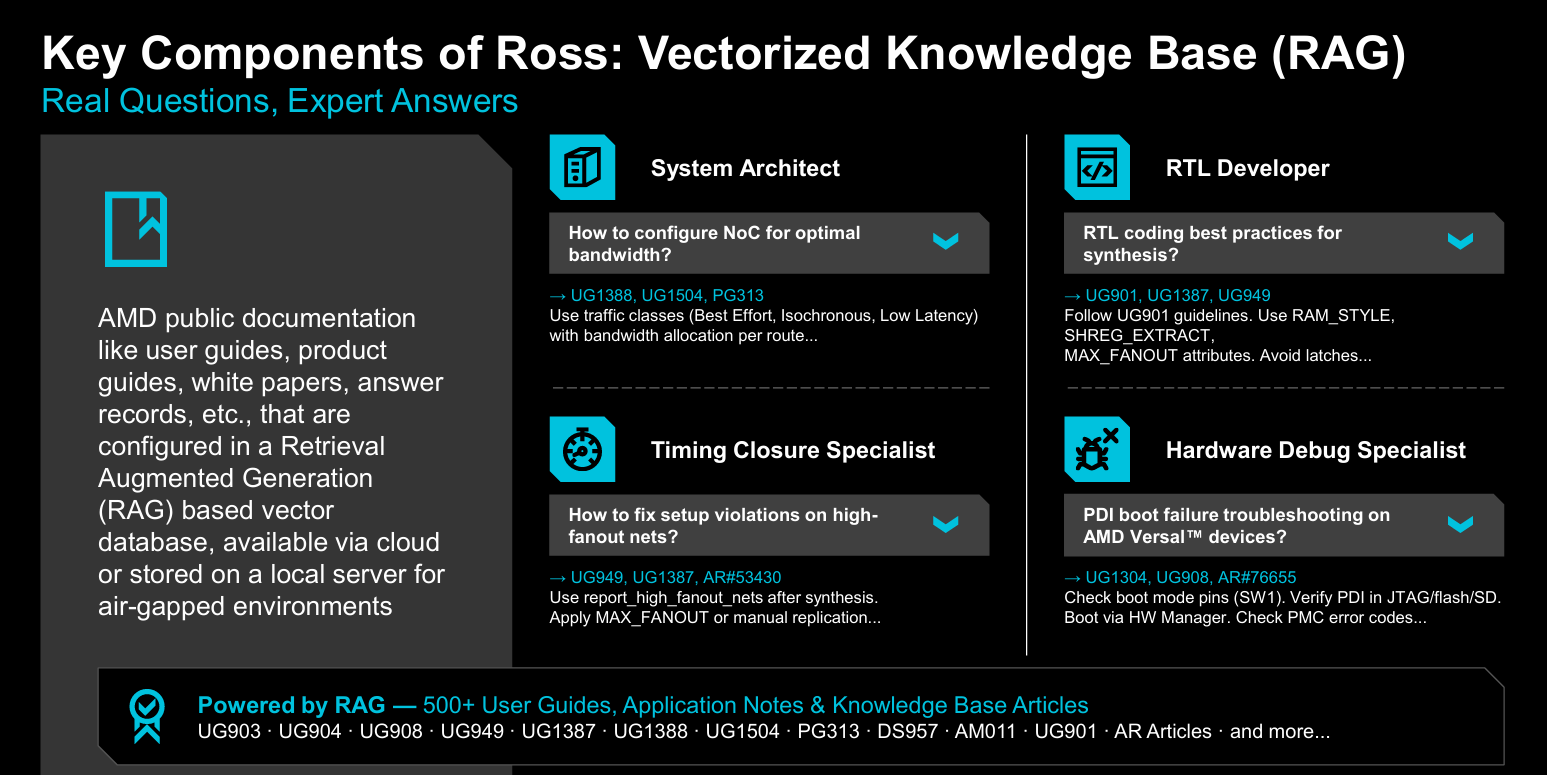
AMD ROSS Agentic AI Assistant can work with nearly all mainstream IDEs including Qoder‑CN IDE and VS Code. It connects to Vivado, Vitis and other tools over the Model Context Protocol (MCP). It provides rich agent skills and reference design examples covering RTL coding, tool control, hardware debug, timing analysis, version management and almost all common engineering scenarios.
The amd‑doc‑search MCP server searches official AMD documentation for FPGA & Adaptive SoC devices, user guides, device datasheets, and manuals for Vivado, Vitis and embedded‑software tools. Two retrieval modes are available:
- Cloud service (default): The Vivado AI extension includes pre‑configured hosted amd‑doc‑search. It works out‑of‑box with zero extra configuration. Refer to https://ross.amd.com/chat#setup for full setup instructions.
- Local knowledge base (optional): For air‑gapped / classified offline environments you can replace cloud services with a local knowledge base. This is a Docker‑based offline‑retrieval stack requiring an additional Docker deployment.
Installation & Usage Instructions
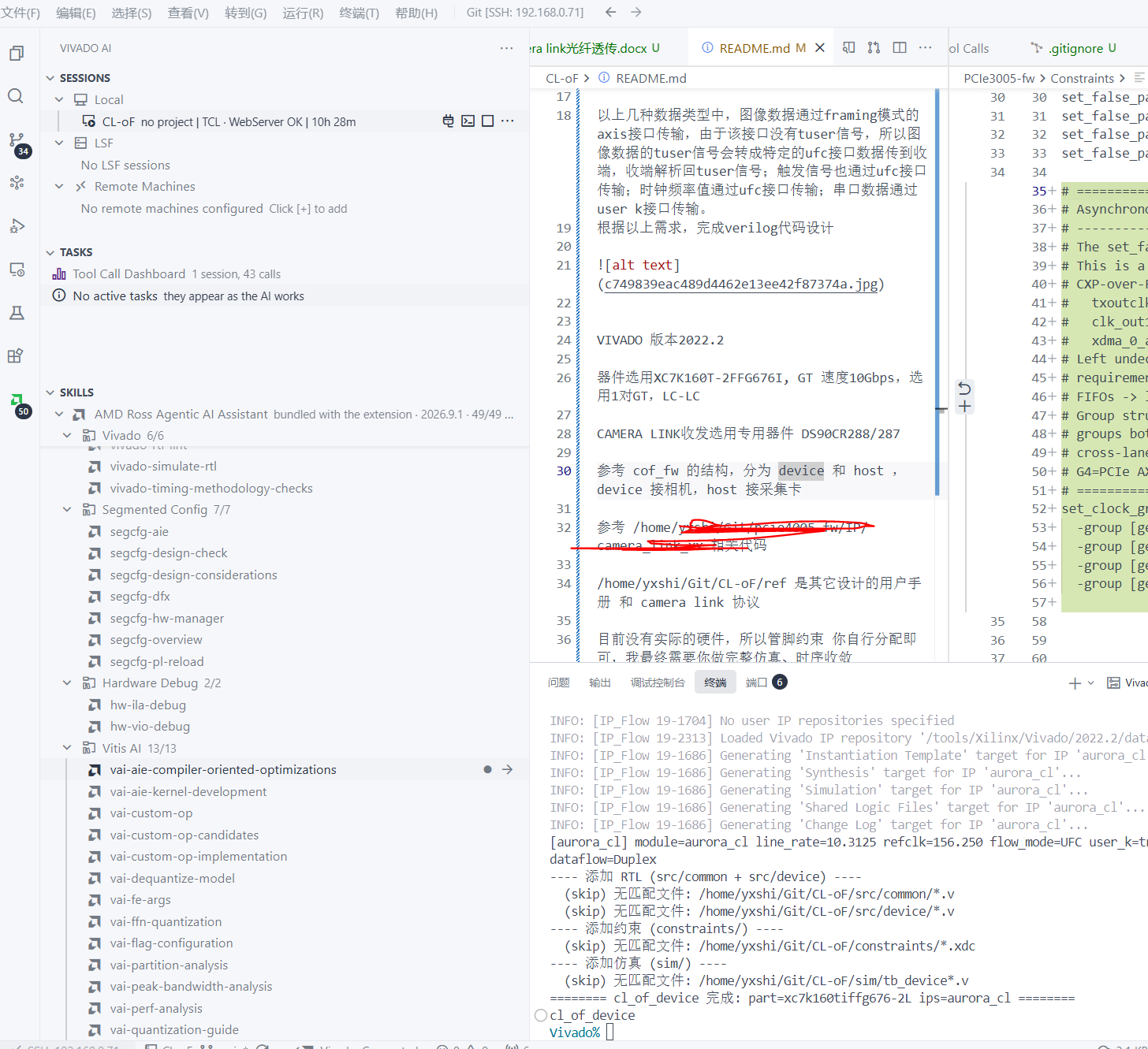
Search for Vivado AI Extension inside your IDE extension marketplace (Qoder, VS Code etc.) and install online. Both Windows and Linux versions are available. The MCP service becomes ready automatically with no manual file‑editing required. This is the initial release, AMD expects rapid iteration and continuous new agent‑skill additions.
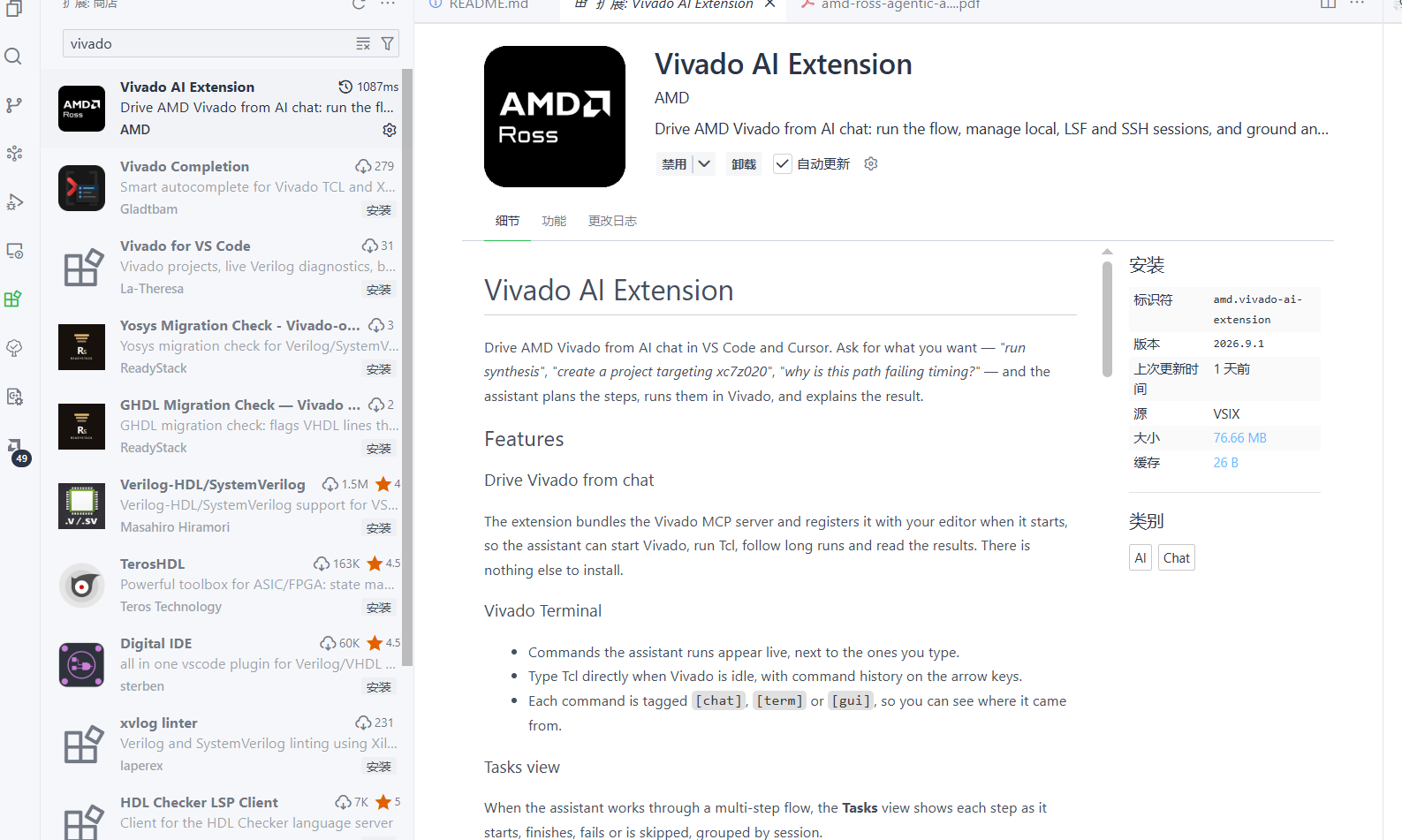 【Figure6: Vivado AI Extension IDE marketplace screenshot, replace here】
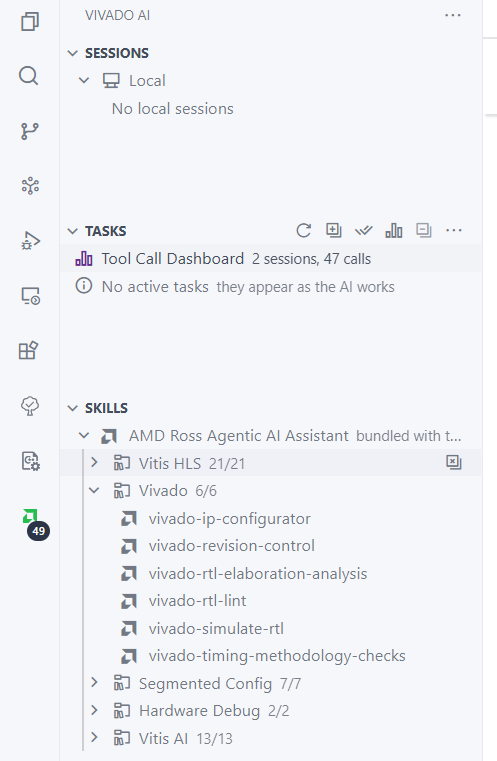
Extension on Windows:
Extension on Linux:
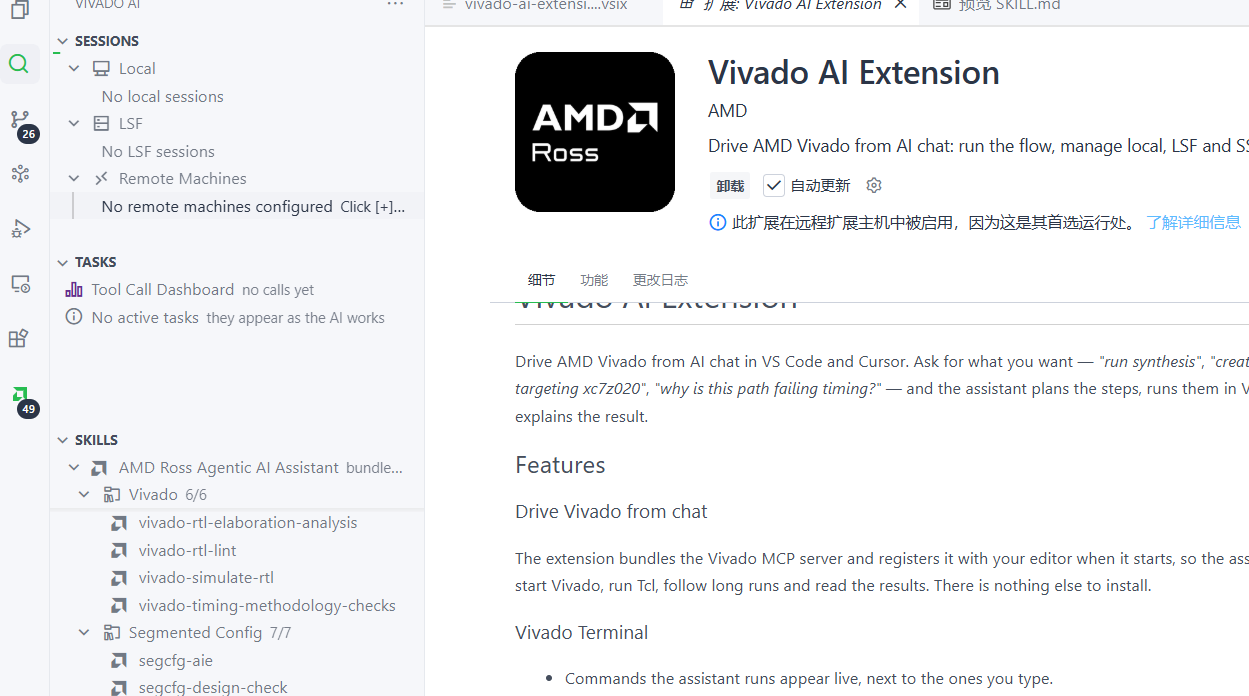
Tip: The VSIX extension already bundles the Vivado MCP Server binary. Standalone vivadomcp‑server‑xxx.exe packages are built for command‑line clients such as Claude Code. IDE users should install only one distribution — avoid duplicate installations.
After installation, you can interact directly within the built‑in AI chat panel.
Real‑World Test Results
Test environment: Windows + Qoder CN + Vivado 2022.2. Using plain‑language prompts, the AI automatically starts a headless Vivado session. It runs read_verilog and synth_design ‑lint via MCP. Within 16.8 seconds it returns all 10 violations covering 8 rule categories from the official rtl‑lint/multi‑violation test case: overflow, mixed‑signal handling, phantom signals, dead‑code paths, inferred latches, incomplete case statements, mixed clock edges. Each violation includes exact source‑file line numbers and output reports can be saved for review.
After deployment run a quick validation check to confirm MCP registration succeeded. If registration fails, instruct the AI assistant to complete configuration for you.
Key Takeaways
AI technology is evolving faster than most anticipated. FPGA engineering was historically a high‑barrier profession; yet today few engineers doubt AI’s capabilities for FPGA programming workflows.
For companies: Embrace AI‑driven changes and opportunities. Leverage AI to deliver higher‑efficiency, high‑quality innovative products and services to customers. For individual engineers: Proactively learn and adopt AI tools to strengthen your system‑level problem‑solving and innovative thinking. Past hands‑on experience alone is no longer sufficient. Your core competitive advantage lies in the capability to systematically solve real‑world physical‑system challenges.

