

Configuring Cameras via CXP XML File
Configuring Cameras via CXP XML File
1 Introduction
GenICam requires camera vendors to provide an XML file that describes device functions, registers and other details. With this information, the host PC can complete camera configuration automatically.
For CoaXPress device cameras, where is the XML data stored?
The XML content is normally saved in the user area of the bootstrap register.
1.1 Purpose of the XML File
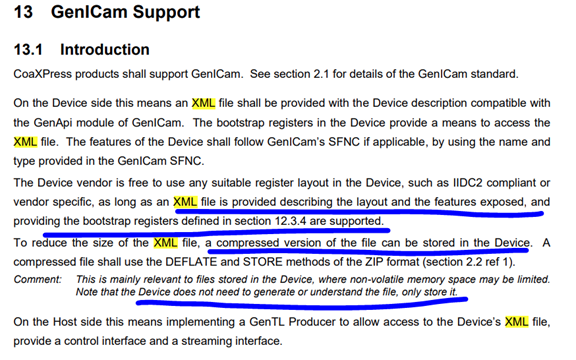

1.2 XML Storage Location

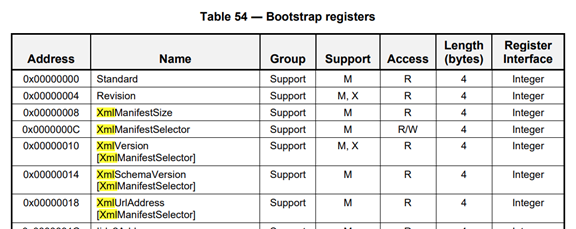
2 Exporting the XML File
You can export the XML configuration file with standard frame grabbers and their official SDKs.
2.1 Huarui Camera
We use Kaya frame grabbers as an example.
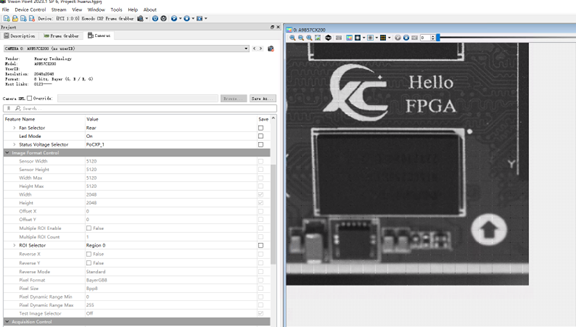

Figure 2‑1 Retrieve camera information via VISION POINT SDK for Kaya frame grabbers
Export the XML file directly from the software.
Camera Model: Huarui A9B57CX200

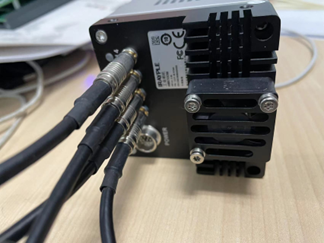
Figure 2‑2 Huarui A9B57CX200, 4‑port 6.25Gbps CoaXPress Camera
2.2 Hikvision Camera

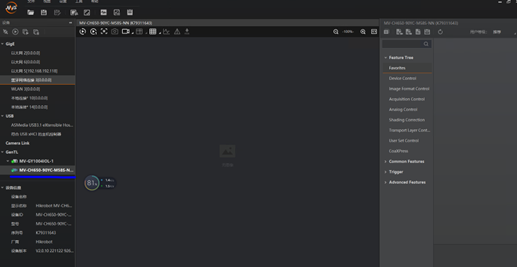
Figure 2‑3 MVS Software Interface for HK MVGY1004 Frame Grabber
Right‑click the camera device and save the XML file.

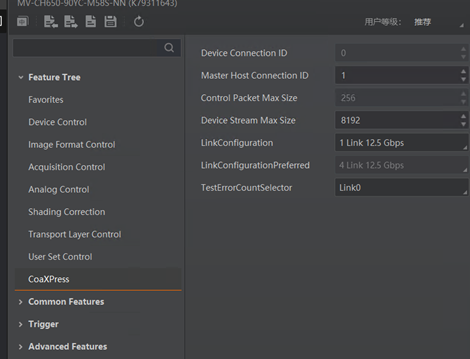
Figure 2‑4 HK CXP Property Page

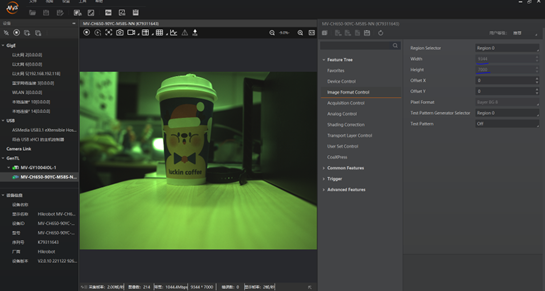
Figure 2‑5 Camera Live View

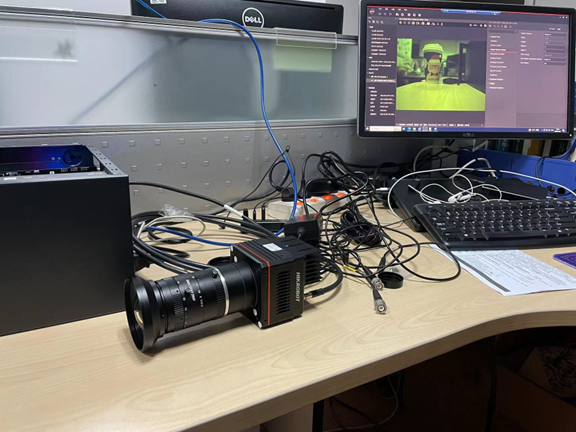
Figure 2‑6 Hikvision Large Area Scan Camera
2.3 Admic Camera

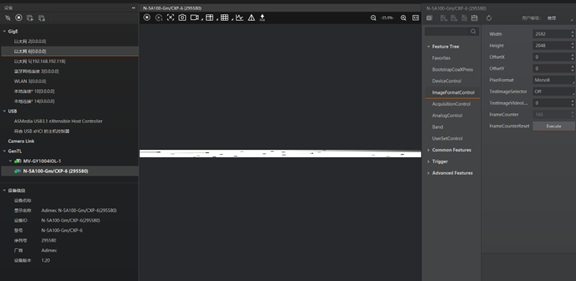
Figure 2‑7 Admic Camera Wiring

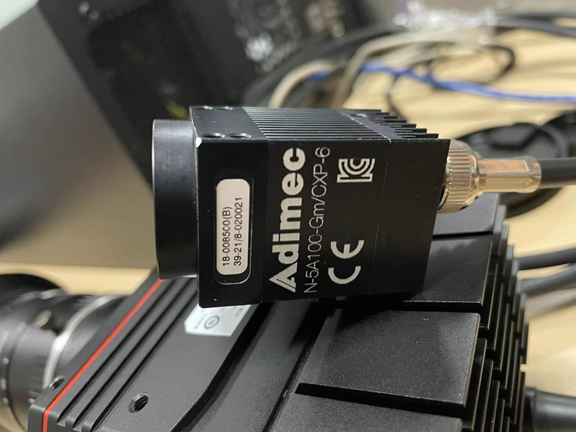
Figure 2‑8 Small Admic Camera
3 Camera Register Configuration via XML in SDK Demo
We take huarui_A9B57CX200.xml as an example to implement register configuration inside the SDK demo.
3.1 Image Format Configuration
First, locate the register address for image format settings.

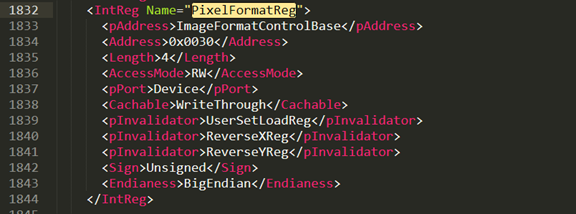
As shown above, PixelFormatReg is offset by 0x0030 from ImageFormatControlBase. The final physical address = ImageFormatControlBase + 0x0030, and ImageFormatControlBase = 0x30010000.
What value should we write into this register? To set pixel format to Mono8, write 0x01080001 to PixelFormatReg.

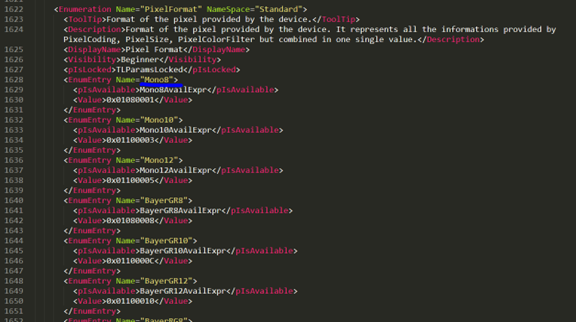
Implementation in SDK:
Call WRITE_DEVICE_REG (int address, int value) to write registers.
Call int read_value = READ_DEVICE_REG(int address) to read registers.
All register configuration must be executed after the device connection is established.
3.2 Exposure Time Configuration
From the appendix: ExposureTime register address = AcquisitionControlBase + 0x0058.
Use this statement: WRITE_DEVICE_REG (0x30020000 + 0x58, exposure_time); The unit of exposure time is microseconds (us).
Exposure mode can be configured in the same way.
4 Appendix
Register Definition from huarui_A9B57CX200.xml
// Huarui A9B57CX200, 5000 × 5000 sensor
const CameraRegisters CameraRegistersVendorHuarui = {

#define AcquisitionControlBase          0x30020000
    AcquisitionControlBase + 0x0000,  // int Addr_AcquisitionMode;
    AcquisitionControlBase + 0x0004,  // int Addr_AcquisitionStart;
    AcquisitionControlBase + 0x0008,  // int Addr_AcquisitionStop;
    AcquisitionControlBase + 0x000c,  // int Addr_AcquisitionBurstFrameCount;
    AcquisitionControlBase + 0x0010,  // int Addr_AcquisitionFrameRate;
    AcquisitionControlBase + 0x0014,  // int AcquisitionStatusAcq
    AcquisitionControlBase + 0x0020,  // int Addr_TriggerMode;
    AcquisitionControlBase + 0x0030,  // int Addr_TriggerSource;
    AcquisitionControlBase + 0x0038,  // int Addr_TriggerActivation;
    AcquisitionControlBase + 0x0028,  // int Addr_TriggerSoftware;
    AcquisitionControlBase + 0x003c,  // Addr_TriggerDelay

    AcquisitionControlBase + 0x0048,  // int Addr_ExposureMode;
    AcquisitionControlBase + 0x0050,  // int Addr_ExposureTimeMinReg;
    AcquisitionControlBase + 0x0054,  // int Addr_ExposureTimeMaxReg;
    AcquisitionControlBase + 0x0058,  // int Addr_ExposureTime;

#define AnalogControlBase               0x30030000
    AnalogControlBase + 0x001C,       // int Addr_BlackLevel;
    AnalogControlBase + 0x000C,       // int Addr_AnalogGain;

#define ImageFormatControlBase          0x30010000
    ImageFormatControlBase + 0x0010,  // int Addr_Width;
    ImageFormatControlBase + 0x001c,  // int Addr_Height;
    ImageFormatControlBase + 0x0028,  // int Addr_OffsetX;
    ImageFormatControlBase + 0x002C,  // int Addr_OffsetY;
    ImageFormatControlBase + 0x0030,  // int Addr_PixelFormat;
    ImageFormatControlBase + 0x0004,  // int Addr_SensorHeight;
    ImageFormatControlBase + 0x0674,  // int Addr_SensorWidth;
    ImageFormatControlBase + 0x003c,  // int Addr_TEST_IMAGE_SLECTOR;

#define TransportLayerControlBase       0x30040000
    TransportLayerControlBase + 0x4,    // int Addr_TapGeometry;
    TransportLayerControlBase + 0x301C, // int Addr_Image1StreamID;
};

